Time Tracking for Entrepreneurs on iPhone – Identify Time-Wasters & Manage Projects
The Problem: No Transparency, Hidden Time-Wasters, Inefficient Projects
As an entrepreneur, you work on multiple projects simultaneously. Without time tracking, you don't know where your time really goes. Small tasks become major time-wasters, projects consume more resources than planned and you lose track of your workload.
Many entrepreneurs skip time tracking because it seems too complex or time-consuming. This leads to problems: You identify time-wasters too late, estimate projects incorrectly, work more than planned and can't make informed decisions.
Common Problems Without Time Tracking
- No transparency: You don't know how much time individual projects actually consume.
- Hidden time-wasters: Small tasks consume hours unnoticed without you realizing it.
- Poor project estimation: Without data from past projects, you estimate future efforts incorrectly.
- Overload: You work more than planned without noticing – which can lead to burnout and mental health issues.
- Wrong priorities: You invest time in projects that don't pay off.
- No basis for decisions: Without data, you can't make informed decisions about which projects to pursue.
What a Simple Solution Should Look Like
Time tracking for entrepreneurs must provide transparency: Where does your time go? Which projects are efficient, which aren't? Where are the time-wasters? No complex workflows, no unnecessary features – simply track time, assign to projects and analyze data.
Why ProjectTimeTracker Is Exactly the Right Tool
ProjectTimeTracker is a native iPhone app that provides the transparency you need to identify time-wasters, manage projects more efficiently and make informed decisions.
Project-Based Time Tracking
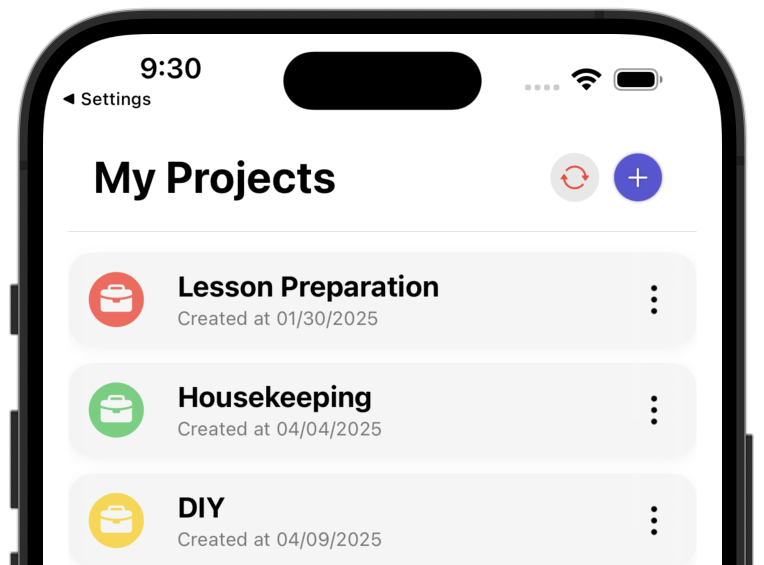
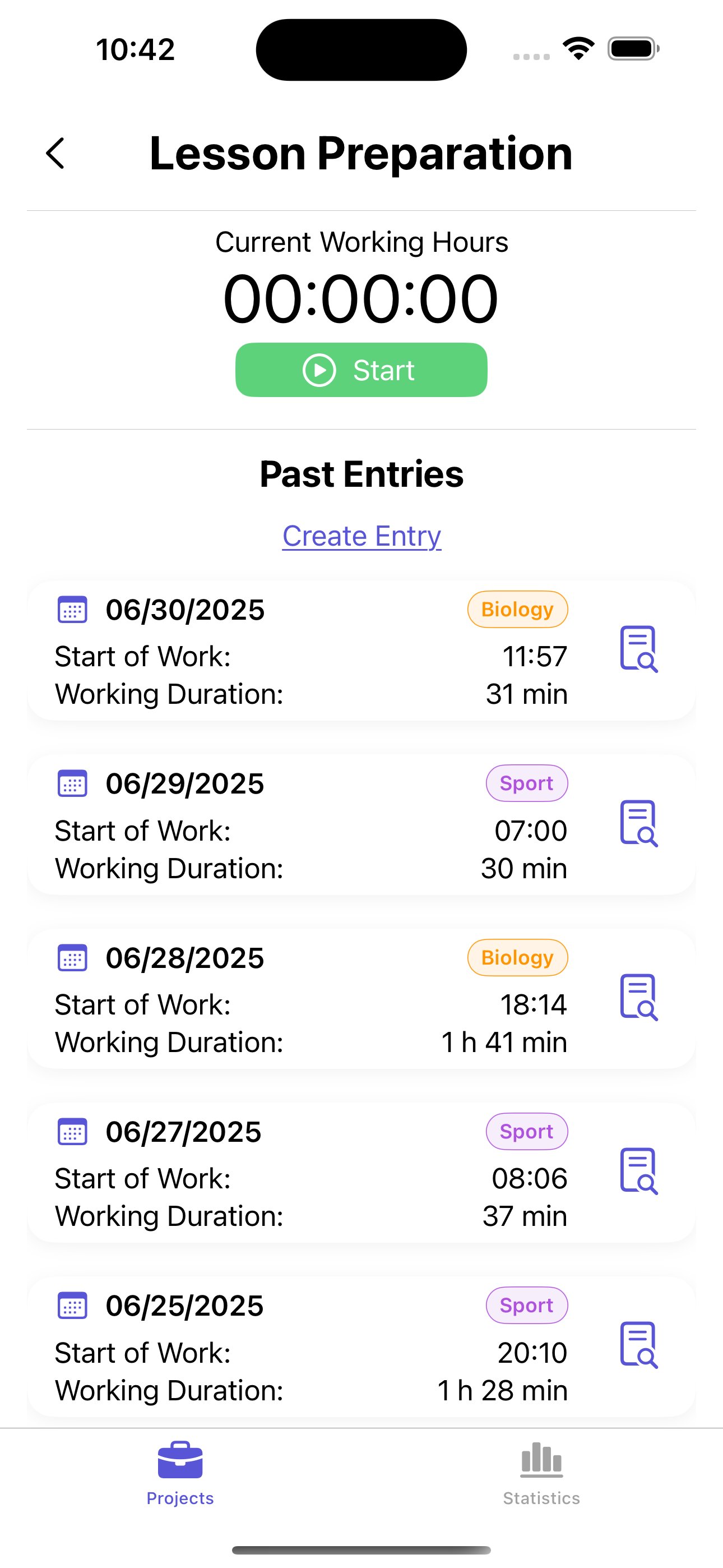
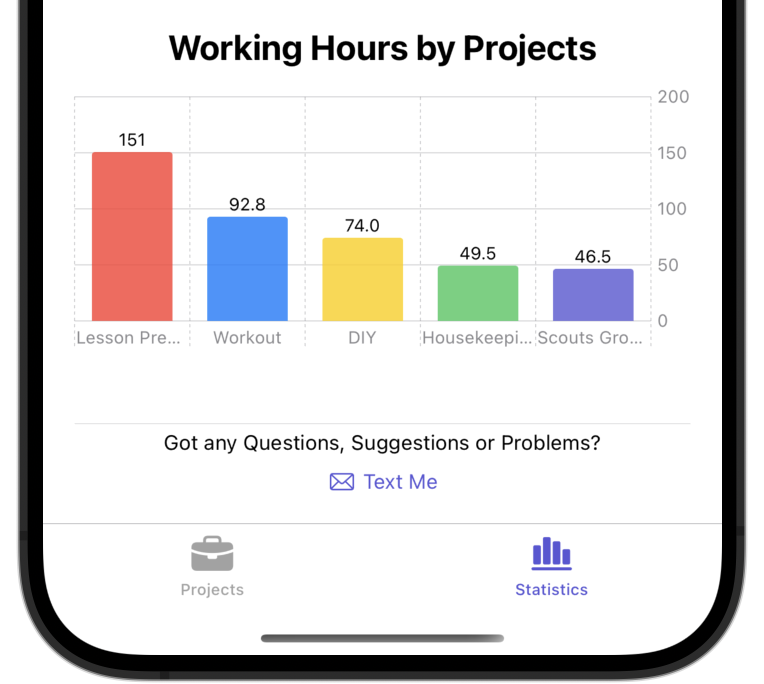
Track your working hours across multiple projects simultaneously. Each time entry is assigned to a project – so you immediately see which projects consume how much time.
Identify Time-Wasters with Tags
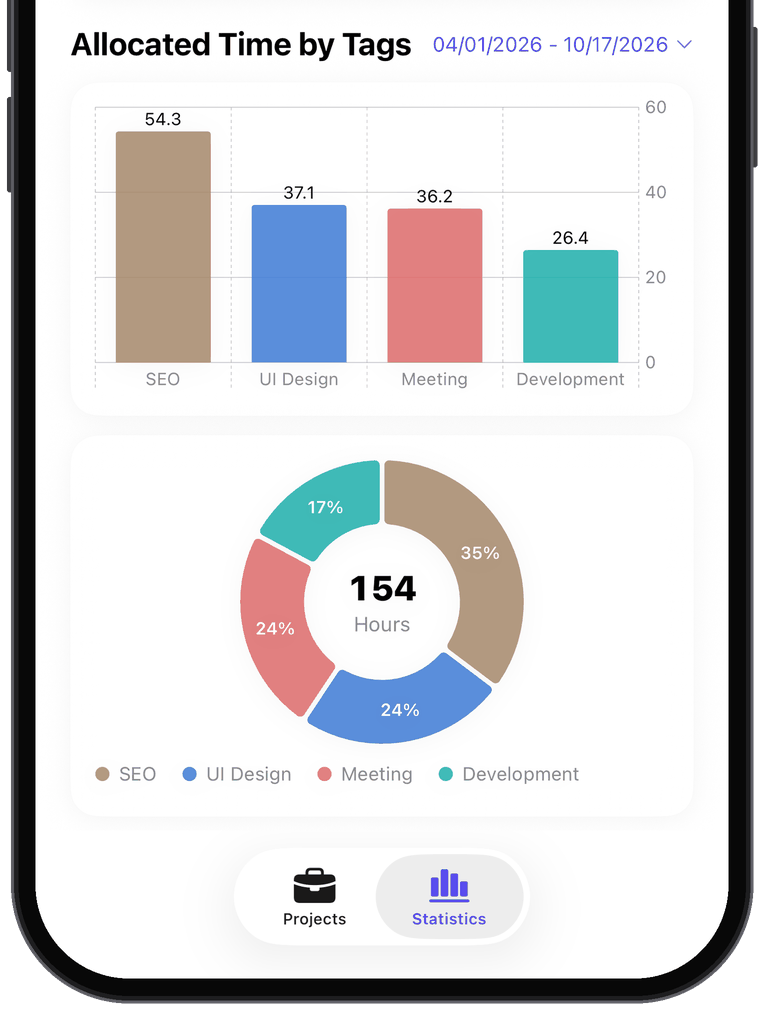
With tags on each time entry, you see at a glance which tasks within a project consume the most time. This helps you identify time-wasters early and take countermeasures.
Keep Track of Your Workload
See at a glance how much time you work per week and month. Recognize trends, avoid overload and protect your health.
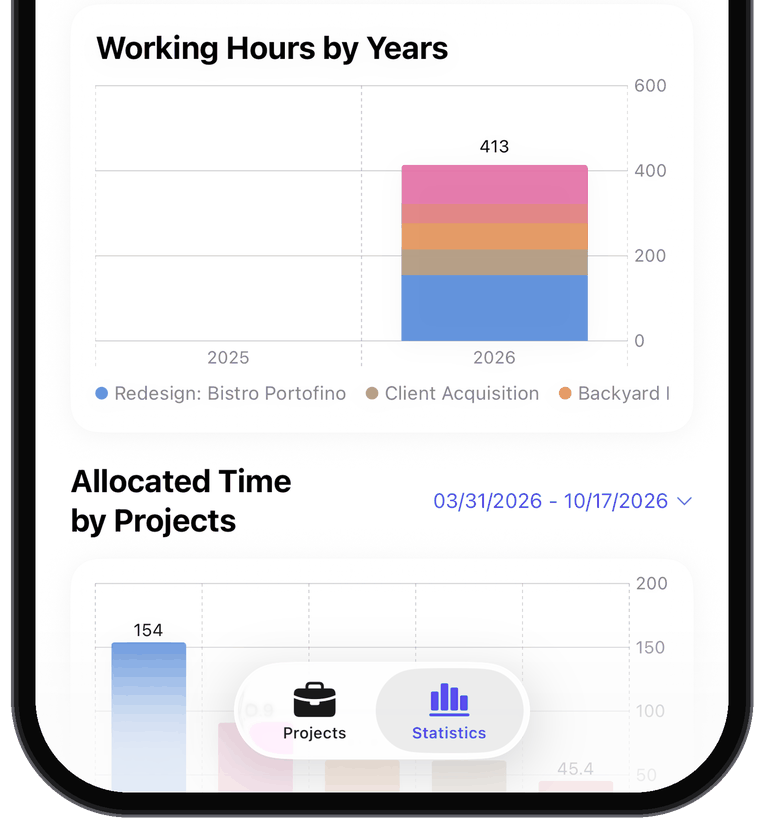
Yearly Statistics for Strategic Decisions
The app shows you a yearly overview that clearly displays which projects were in focus and how your priorities have shifted. This helps you recognize long-term trends and adjust your strategy.
Effort vs. Reward
ProjectTimeTracker provides the data you need to evaluate projects economically: Are you investing too much time in a low-return project? You'll recognize it early and can take action.
Simple and Fast
No complicated setup, no unnecessary features. ProjectTimeTracker is a native iOS app that does exactly what you need – transparency without overhead.
Frequently Asked Questions
How do I see where my time goes?
Add tags such as "Meeting", "Email" or "Sales" to your time entries. The statistics then show your share of time by tag and by project – per week, month or year.
Can I use ProjectTimeTracker for my team?
ProjectTimeTracker is built for tracking your own time. There is no team management and no shared reporting: everyone tracks their time on their own device.
Can I export my hours as PDF or Excel?
Yes, with Premium: as an Excel workbook (.xlsx), as a printable PDF with a summary per project, as a calendar file (.ics), as CSV or as a complete backup (JSON).
Is there an iPad version?
Yes. ProjectTimeTracker runs on iPhone and iPad, with split view and keyboard shortcuts on iPad. Your data syncs between your devices.
Do I need an account?
No. There is no registration, no email address and no password. The app links your data to the user identifier of your Apple account (iCloud) – just download it and start.
Get Started Now
ProjectTimeTracker is available in the App Store. Just download and get started.
Download now on the App Store


Scan with your iPhone
4.9 out of 5 stars · 10 App Store ratings
More Information: