Time Tracking for Employees – Fair Pay? Keep an Overview
The Problem: You Don't Know If You're Being Paid Fairly
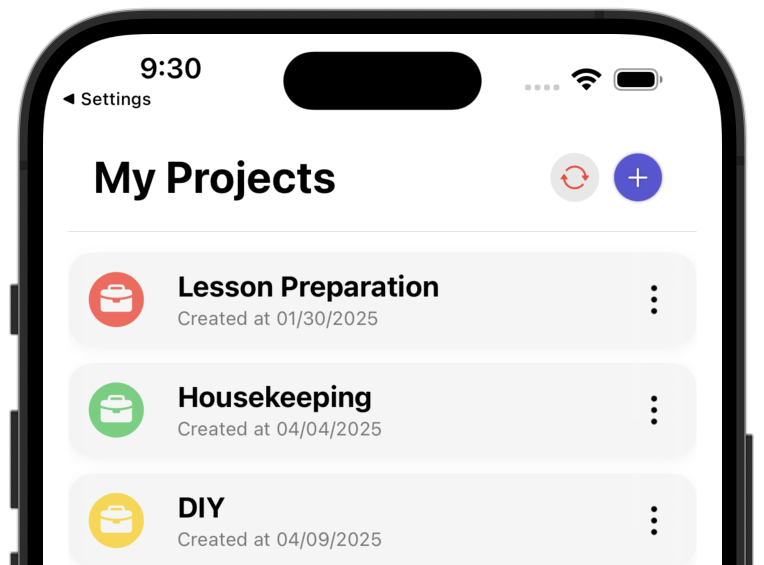
You work as an employee in trust-based working time and are not obligated to track your working hours. But you want to know: Are you working more hours than your contract specifies? Are you being paid fairly for the time you actually invest?
Many employees have no overview of their actual working hours. They work more than contractually agreed without realizing it. This leads to problems: You don't know if your employer pays fairly, have no overview of your work-life balance and realize too late when you're working too much.
Common Problems Without Time Tracking
- No overview: You don't know how many hours you actually work – neither per week nor per month.
- Unfair pay: You work more hours than contractually agreed without realizing it.
- No basis for negotiation: Without data, you can't prove that you work more than agreed.
- Work-life balance out of view: You realize too late when you're working too much and endangering your health.
- Too complex tools: Many time tracking apps are overloaded with features you don't need.
- Privacy concerns: You don't want your employer to monitor every click.
What a Simple Solution Should Look Like
Time tracking for employees must do three things: track time, visualize it and help you check if you're being paid fairly – simple, private and without complexity. You create a time entry and immediately see how much time you actually work.
Why ProjectTimeTracker Is Exactly the Right Tool
ProjectTimeTracker is a native iPhone app that helps you track and visualize your working hours – simple, private and straightforward. Learn more about how the app works.
Track and Visualize Your Working Hours
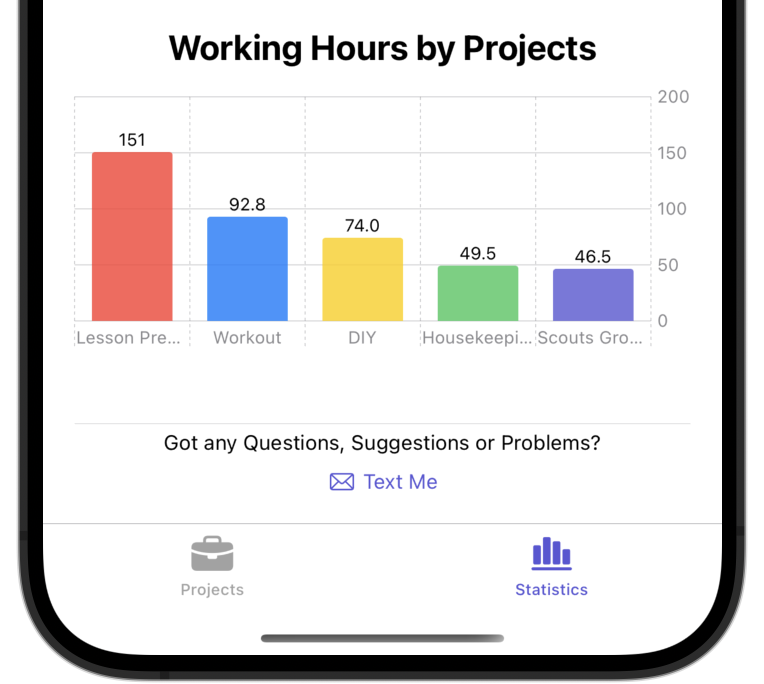
Track your working hours simply and quickly. The app shows you at a glance how much time you actually work – visualized in clear statistics and charts.
Private and Secure
Your data is anonymized and stored securely on a server in the EU – only for backup and easy setup on new devices. No monitoring, no control, no sharing with third parties.
Fair Pay? Check It Yourself
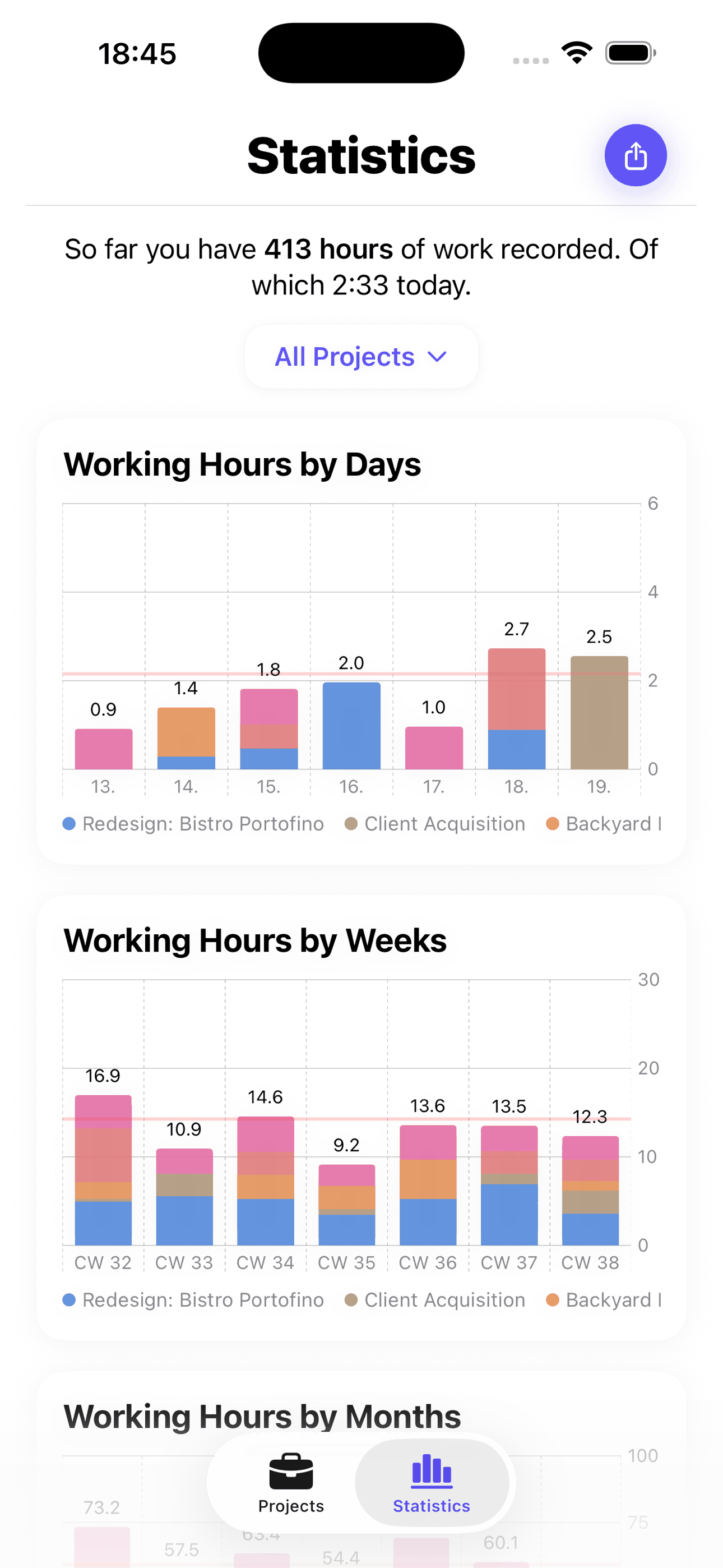
The app visualizes your working hours in clear statistics. See at a glance how much time you work per week and month. Compare your actual working hours with your contract. This way you recognize if you're being paid fairly and have data for conversations with your employer.
Work-Life Balance in View
Recognize trends, avoid overload and protect your health. The data helps you keep track of your work-life balance.
Time Guard: When the Day Is Done, It's Done
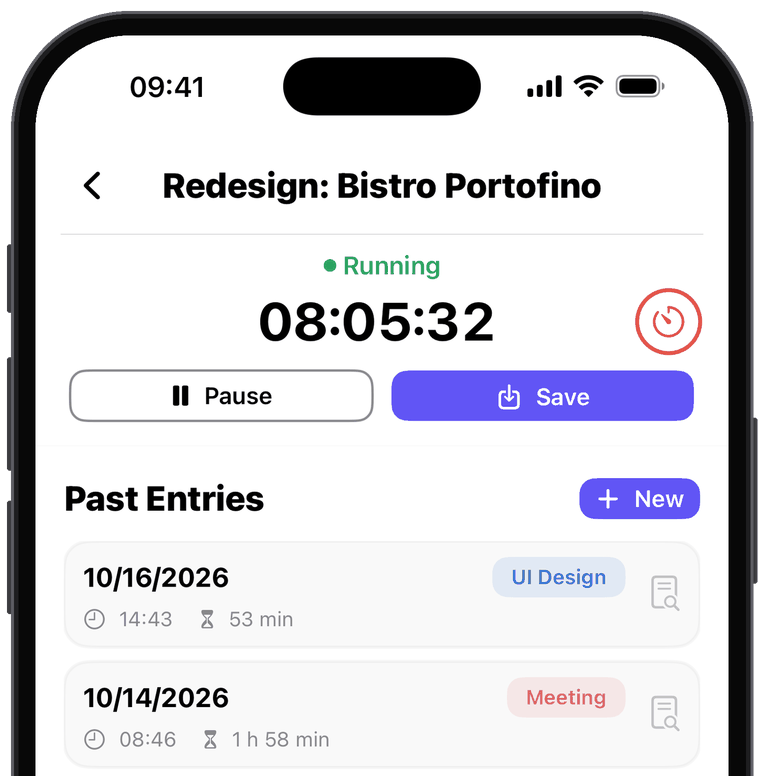
With trust-based working hours the line blurs quickly – you carry on “just for a moment” and ten minutes turn into an hour. That is why you can set yourself a daily working time limit in the app, either for a single project or across all of them. A progress ring next to the timer shows you the current status and turns red the moment you reach your limit.
The app then sends you a notification reminding you to let work rest for the day. Time Guard is deliberately built as protection against overwork, not as a push for more hours.
Frequently Asked Questions
Can my employer see my tracked hours?
No. The app is your private record: your employer has no access to your entries, and there is no way to share them with anyone – unless you export them yourself. They sit on the server in the EU only for backup and sync, without a name or email address.
What is Time Guard?
Time Guard is a daily working time limit you set for a single project or across all projects. A progress ring shows where you stand and turns red once you reach your limit.
Is the free version enough for my working hours?
In most cases, yes. The free version allows 250 time entries per year – with one entry per working day, that lasts the whole year. If you split your day into several entries or want to export, you need Premium for €2 per month or €15 per year.
Do I need an account?
No. There is no registration, no email address and no password. The app links your data to the user identifier of your Apple account (iCloud) – just download it and start.
Does the app work offline?
Yes. Tracking, editing and reviewing your time all work without an internet connection. Backup and sync catch up as soon as you are back online.
Get Started Now
ProjectTimeTracker is available in the App Store. Just download and get started.
Download now on the App Store

Scan with your iPhone
4.9 out of 5 stars · 10 App Store ratings
More Information: